Track
Track
 Login
Login


How do I access Astro GO?
Ready to start watching on Astro Go? Simply log in using the Astro ID linked to your Astro account on a supported device. If you haven’t created your Astro ID yet, you can refer to the guide here. Then, follow the step-by-step guide below and you’ll be ready to enjoy Astro Go in no time.
Step 1: Tap on the download link to download Astro Go app on your device.

Step 2: Tap on "Get" or "Install" to download Astro Go app into your device.
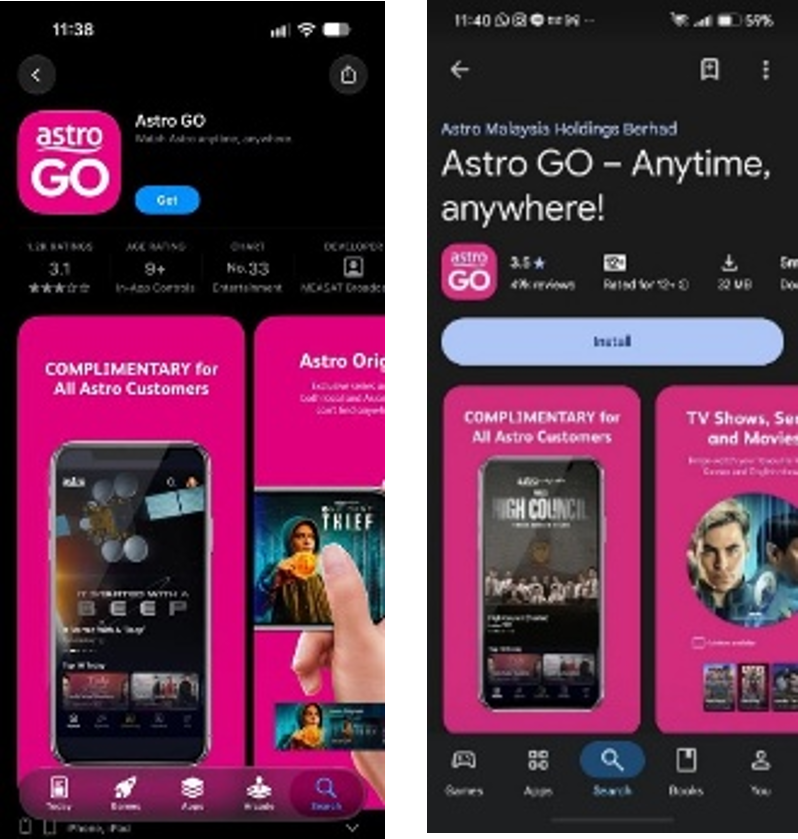
Step 3: Upon downloading, launch the app on your homepage and sign in with your Astro ID.
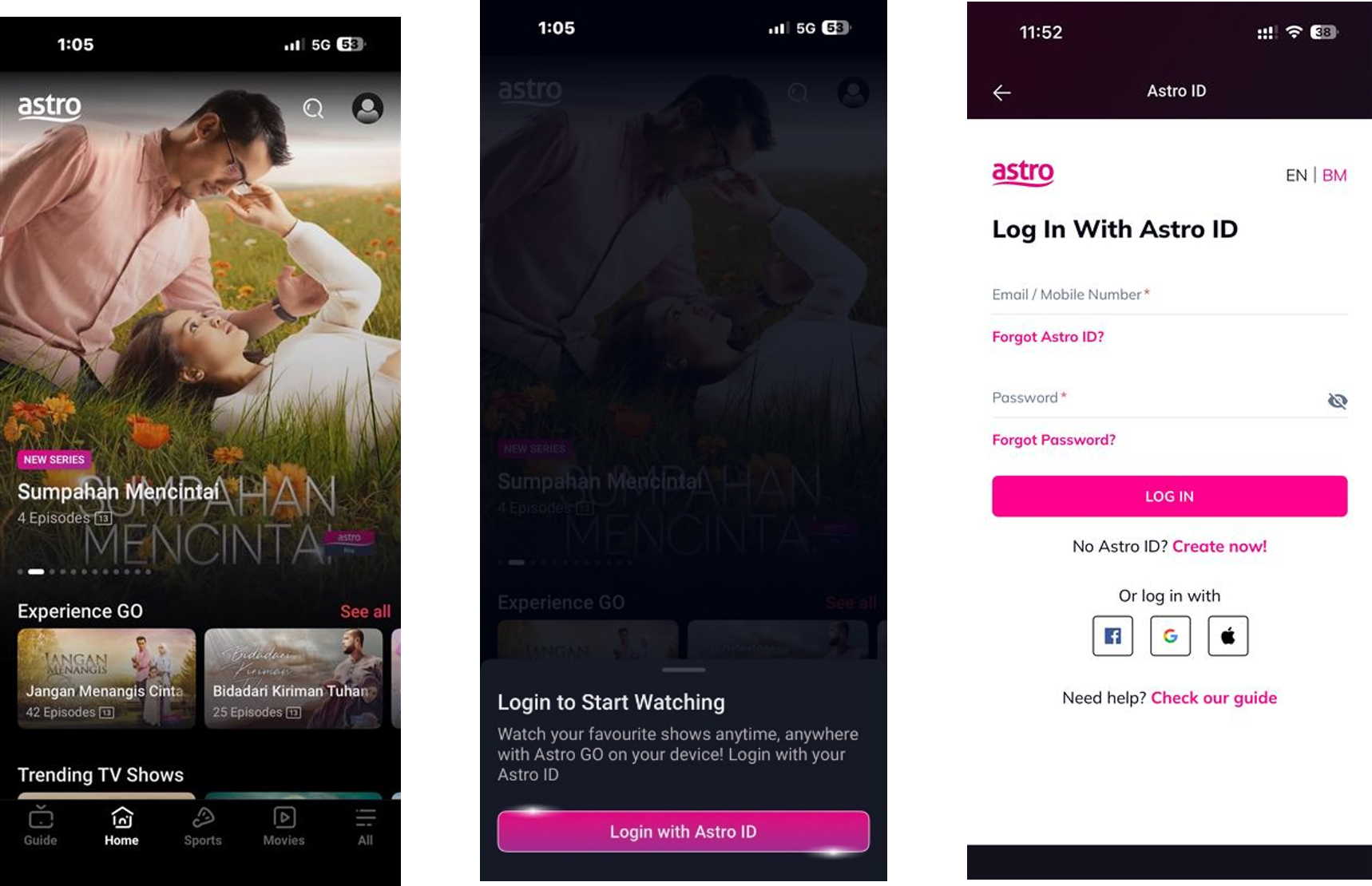
Don’t have an Astro ID? Create one by following these steps.
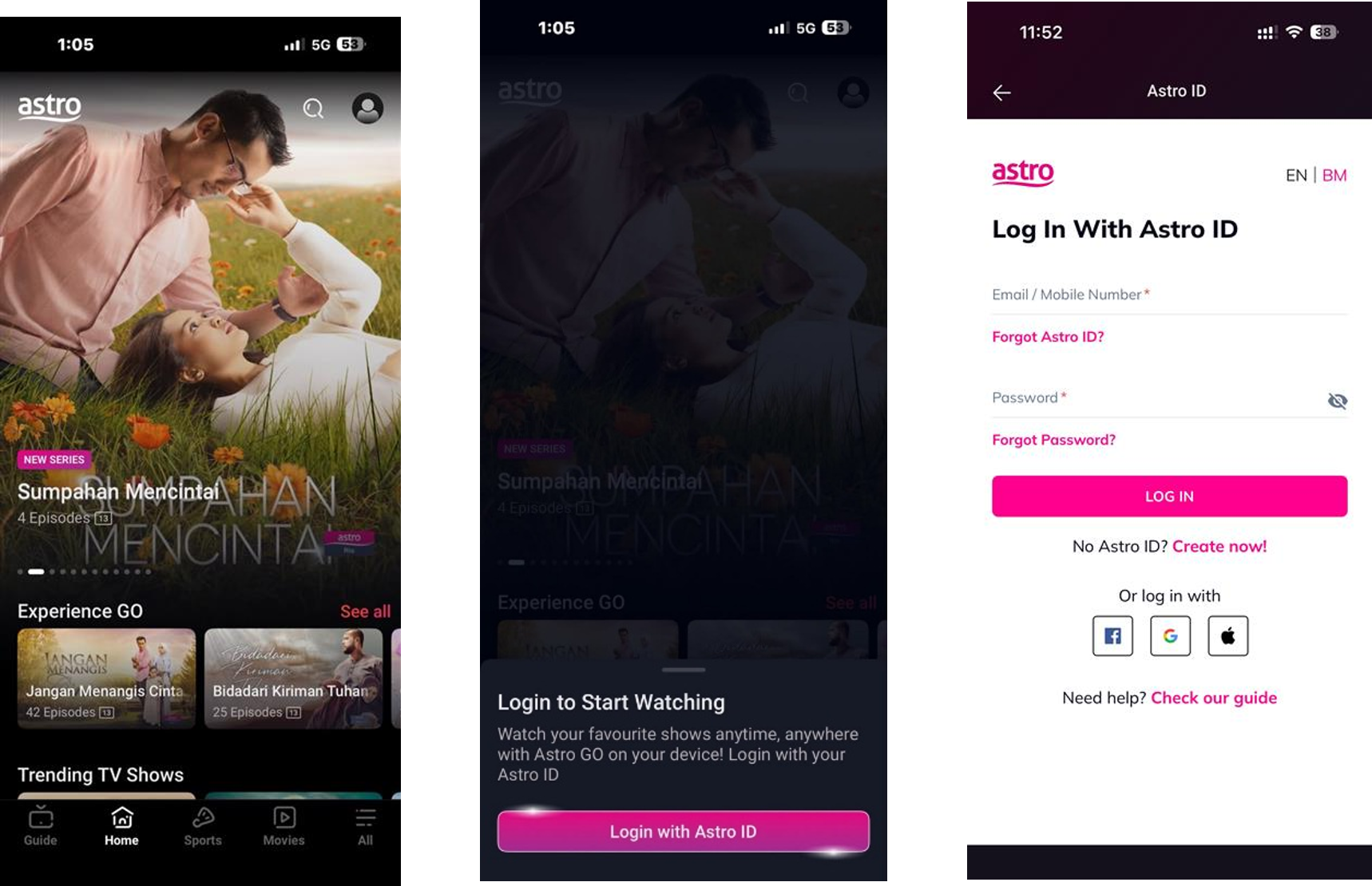
Step 4: You’re all set! Enjoy a world of entertainment in the palm of your hand.

Supported mobile devices include:
- iPhones and iPads: iOS 16.0 or later.
- Android smartphones and tablets: Android 7.0 or later.
To watch on your computer or laptop, visit astrogo.astro.com.my using your web browser.
Similar Articles